
Augment Code Configuration
This document explains how to use the Wukong plugin (a modified version of Augment) with the relay service.
1. Getting Started
1.0 Introduction
Wukong: A modified version of the Augment plugin that can connect to relay service APIs, allowing you to use Augment's powerful features.
Plugin Download
Relay Service: A stable and cost-effective relay service providing the most advanced models like Claude Opus 4.5, Gemini 3 Pro, etc.
https://newapi.autoncode.com/1.1 Clean Environment
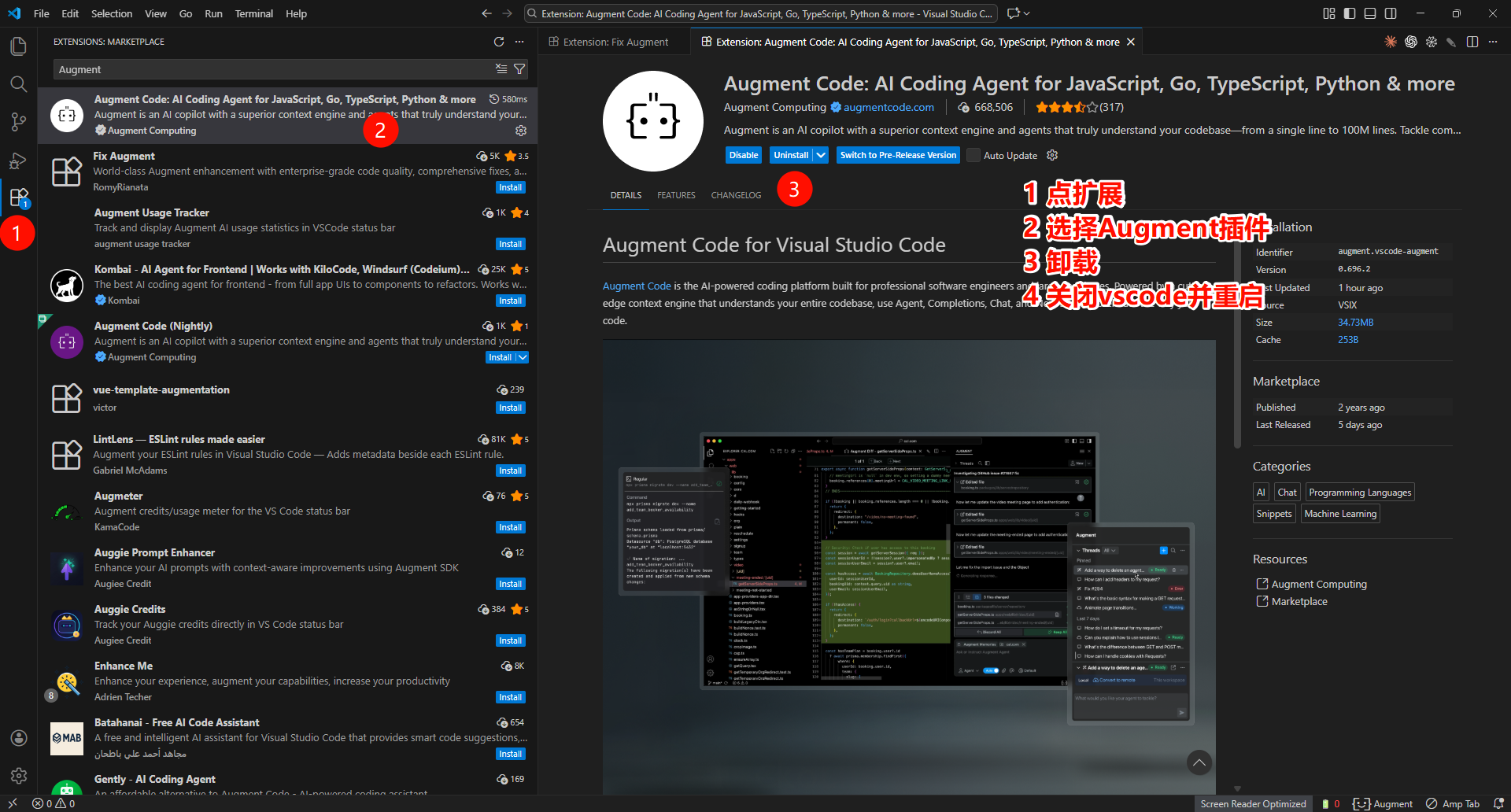
Open VSCode and uninstall the official Augment plugin. Restart VSCode after uninstalling.
Follow the steps shown below:
1.2 Install Wukong
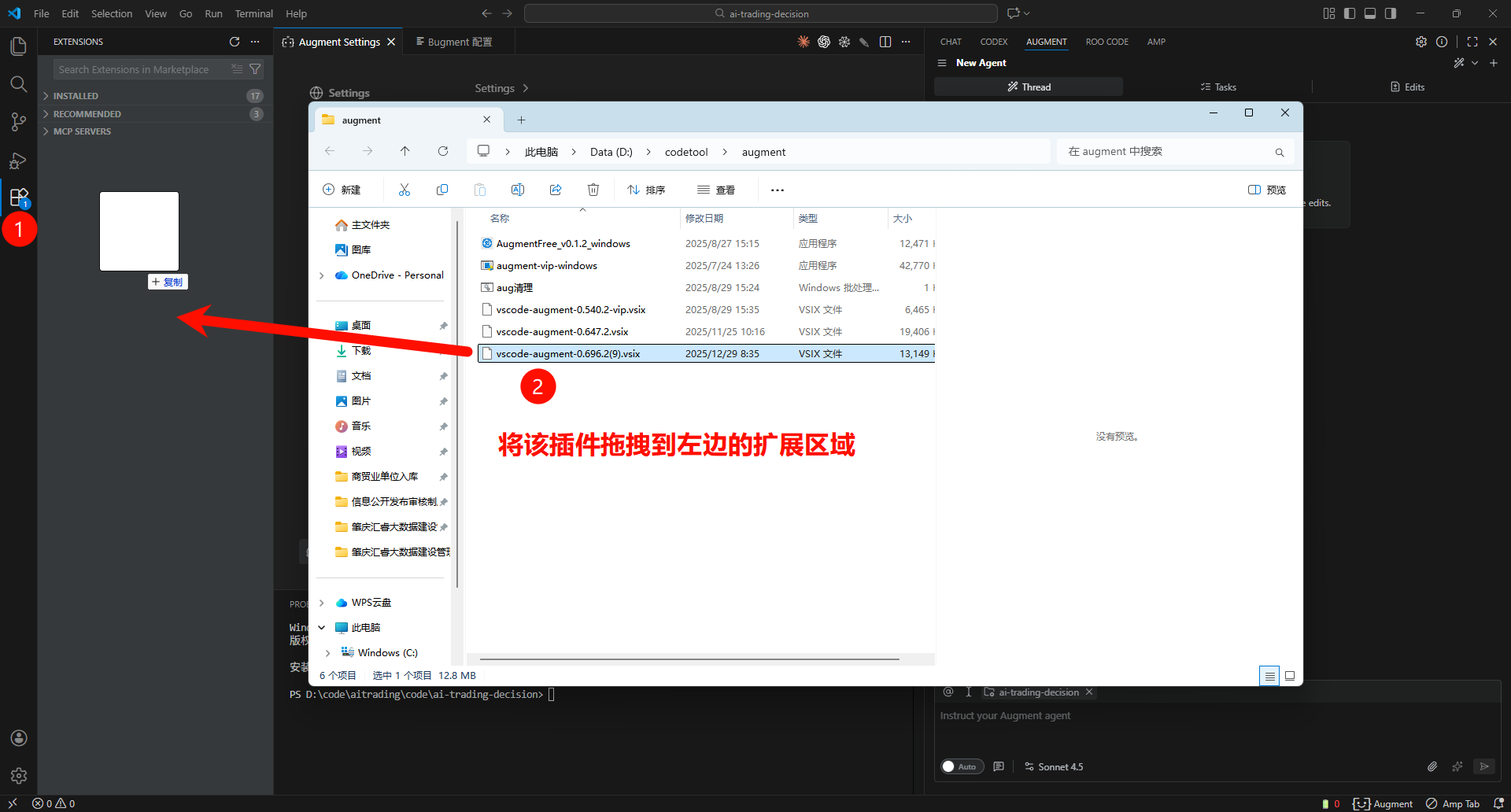
- Download the Wukong plugin file
vscode-augment-0.754.1.vsix - Open VSCode
- Press
Ctrl+Shift+Pto open the command palette - Type
Install from VSIX - Select the downloaded
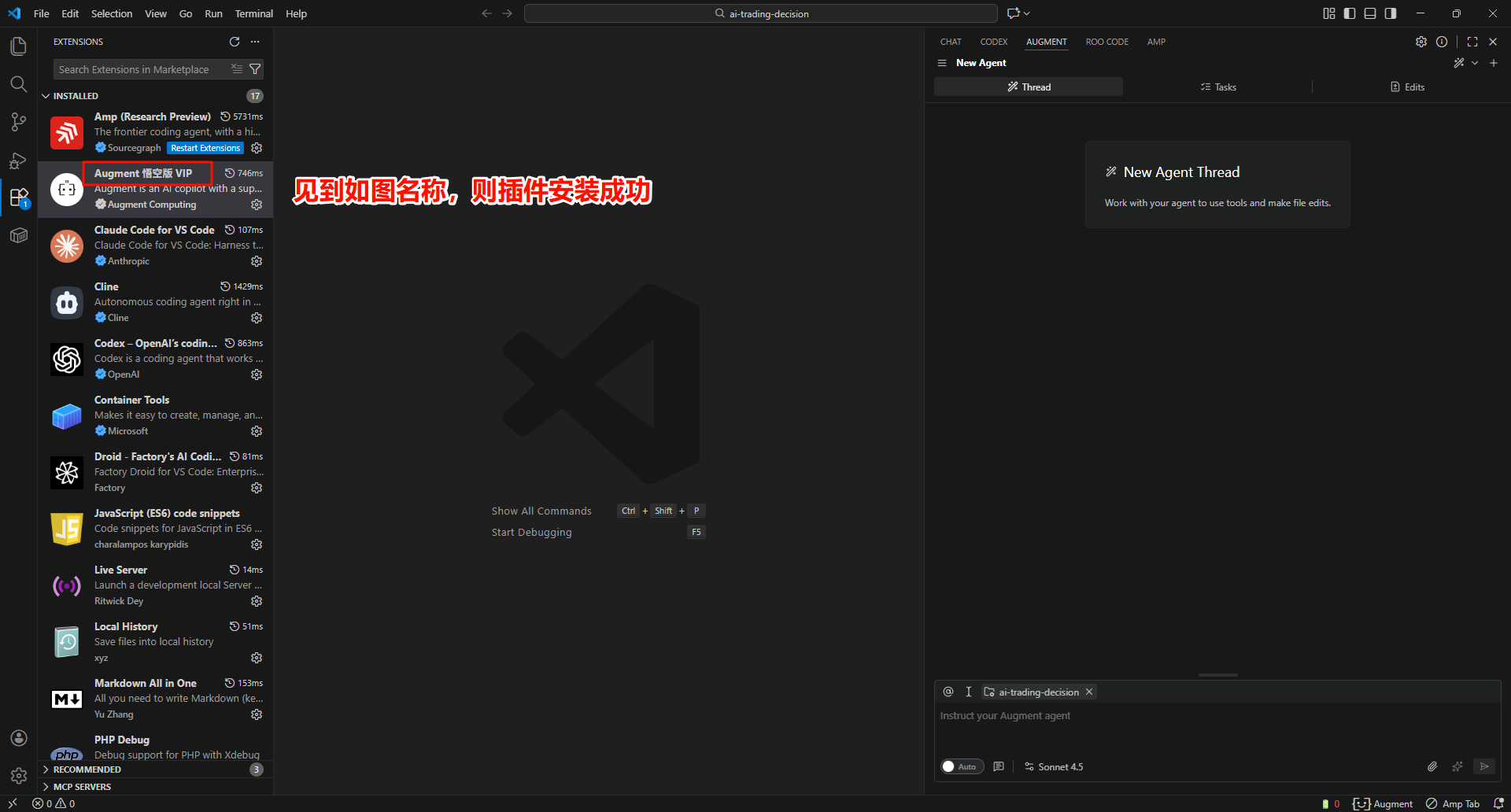
.vsixfile to install - Restart VSCode after installation
1.3 Login to Augment
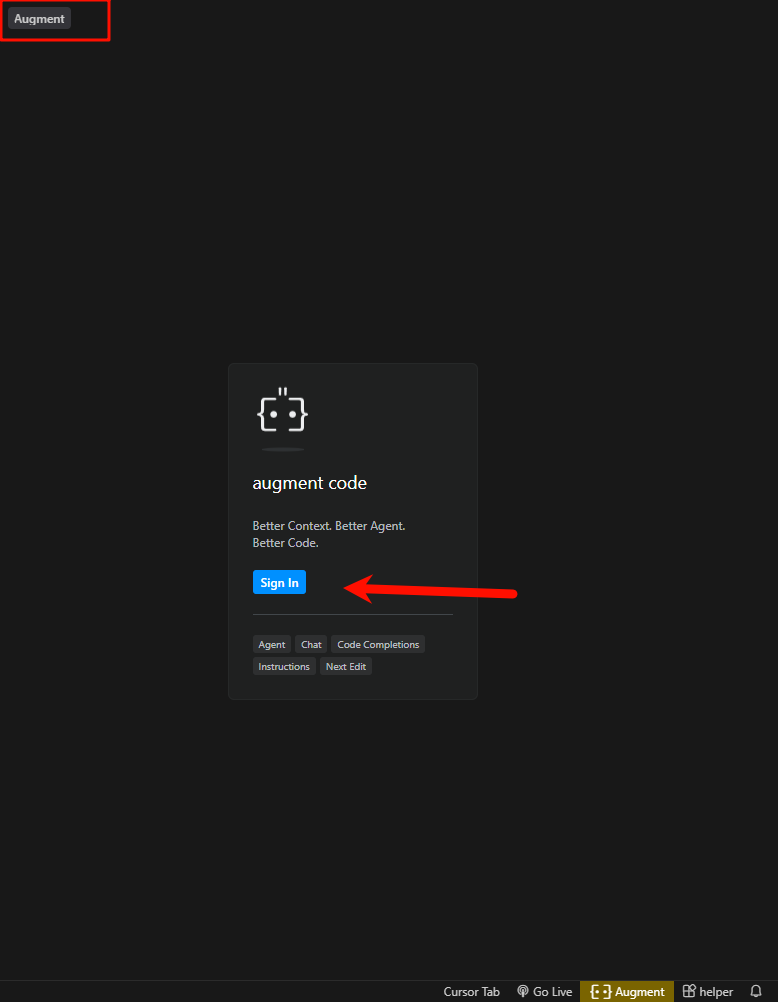
After installation, you need to log in to your Augment account first:
- Click the Augment icon in the left activity bar
- Click the login button
- Complete the login authorization in your browser
1.4 Configure Wukong
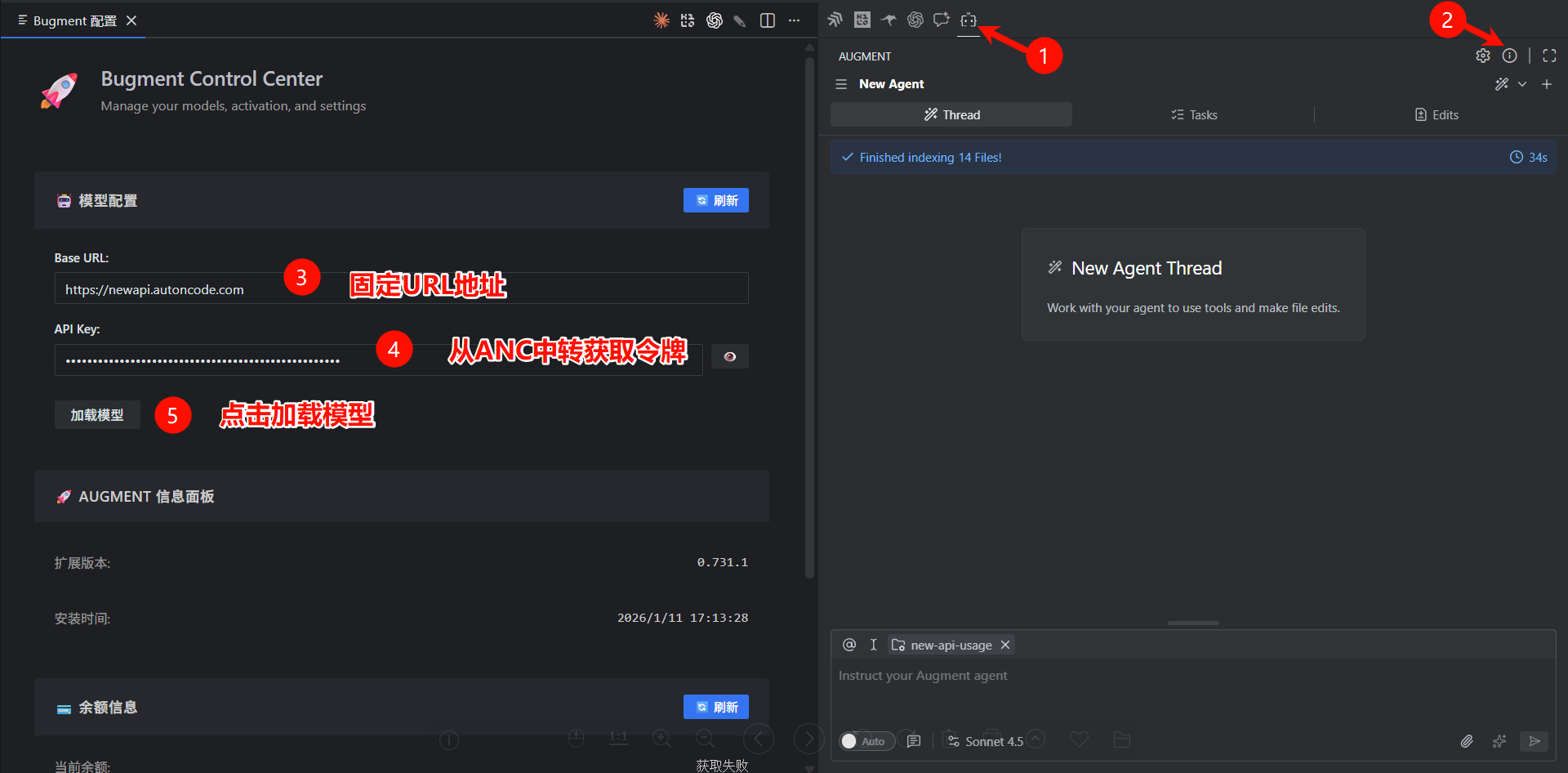
Step 1: Open Augment Panel
Click the Augment icon in the left activity bar to open the Augment panel.
Step 2: Open Configuration Panel
Click the exclamation mark icon in the top right corner to open the configuration panel.
Step 3: Enter Relay Service Configuration
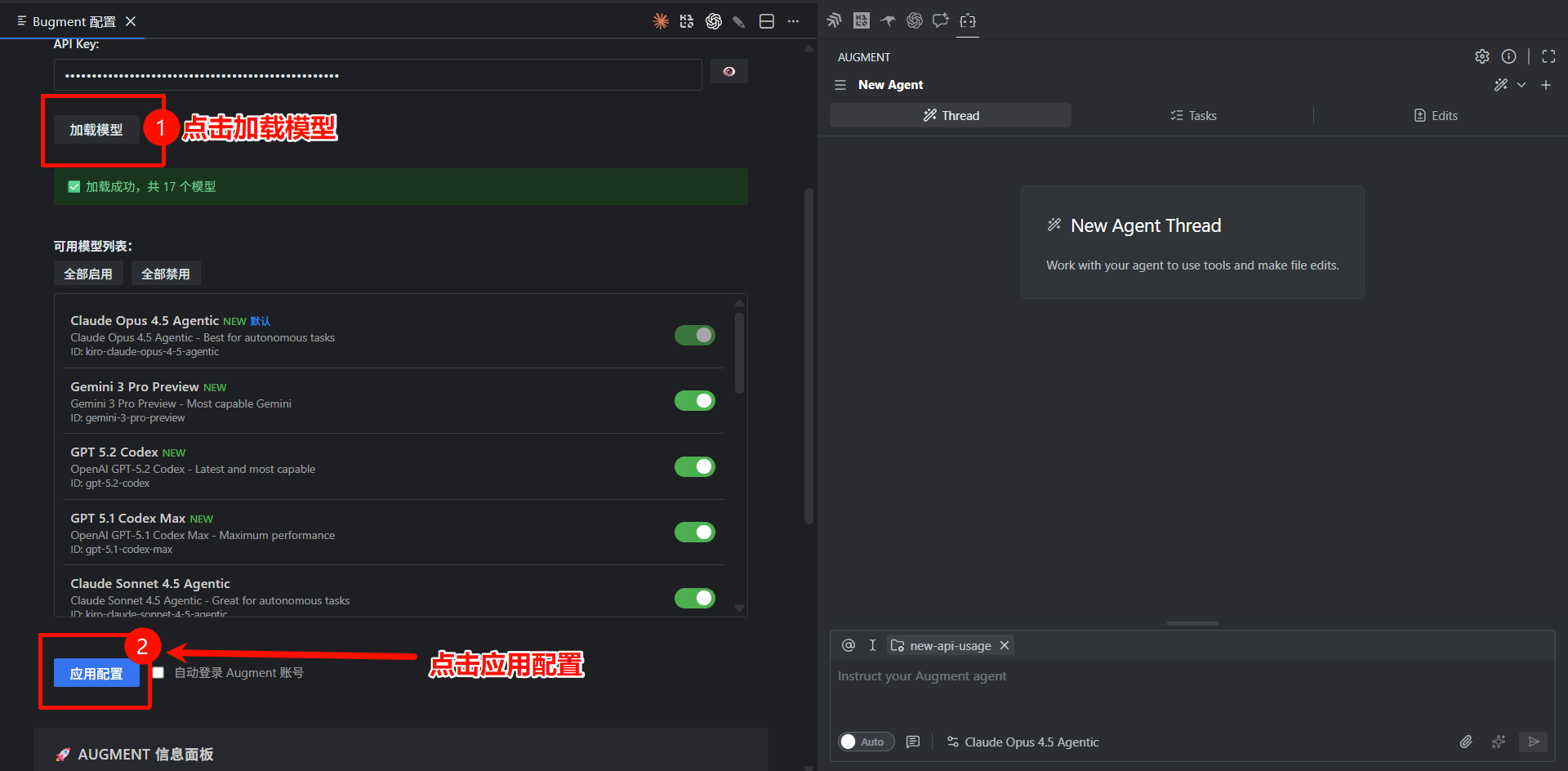
Complete the following configuration in the configuration panel:
- Find the API Base URL input field and enter the relay service URL
- Enter your API Key
- Click Load Models
- Click Apply Configuration (wait for the plugin to reload)
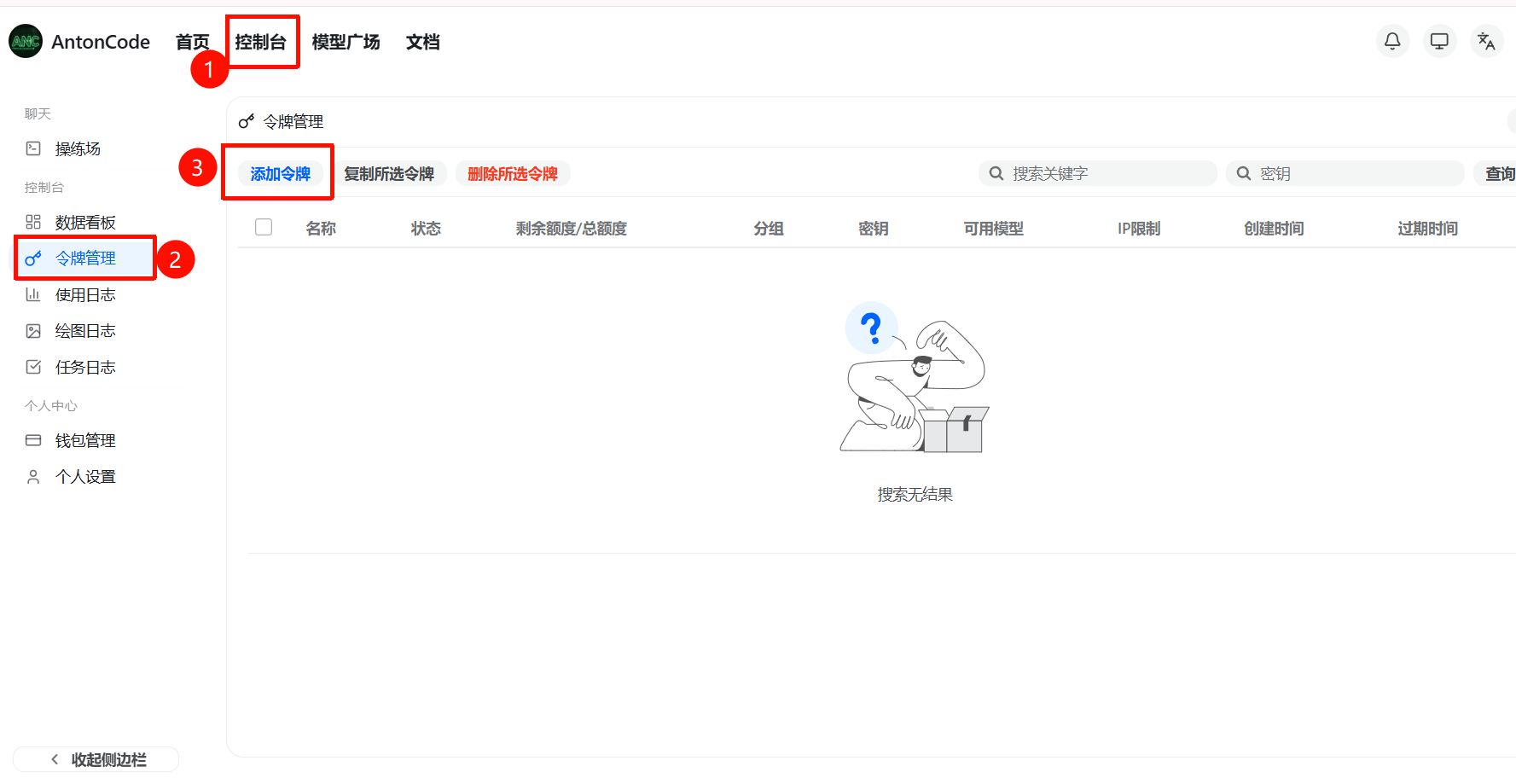
Step 4: Get API Key
Open the relay service, click "Token Management" on the left, then click "Add Token".
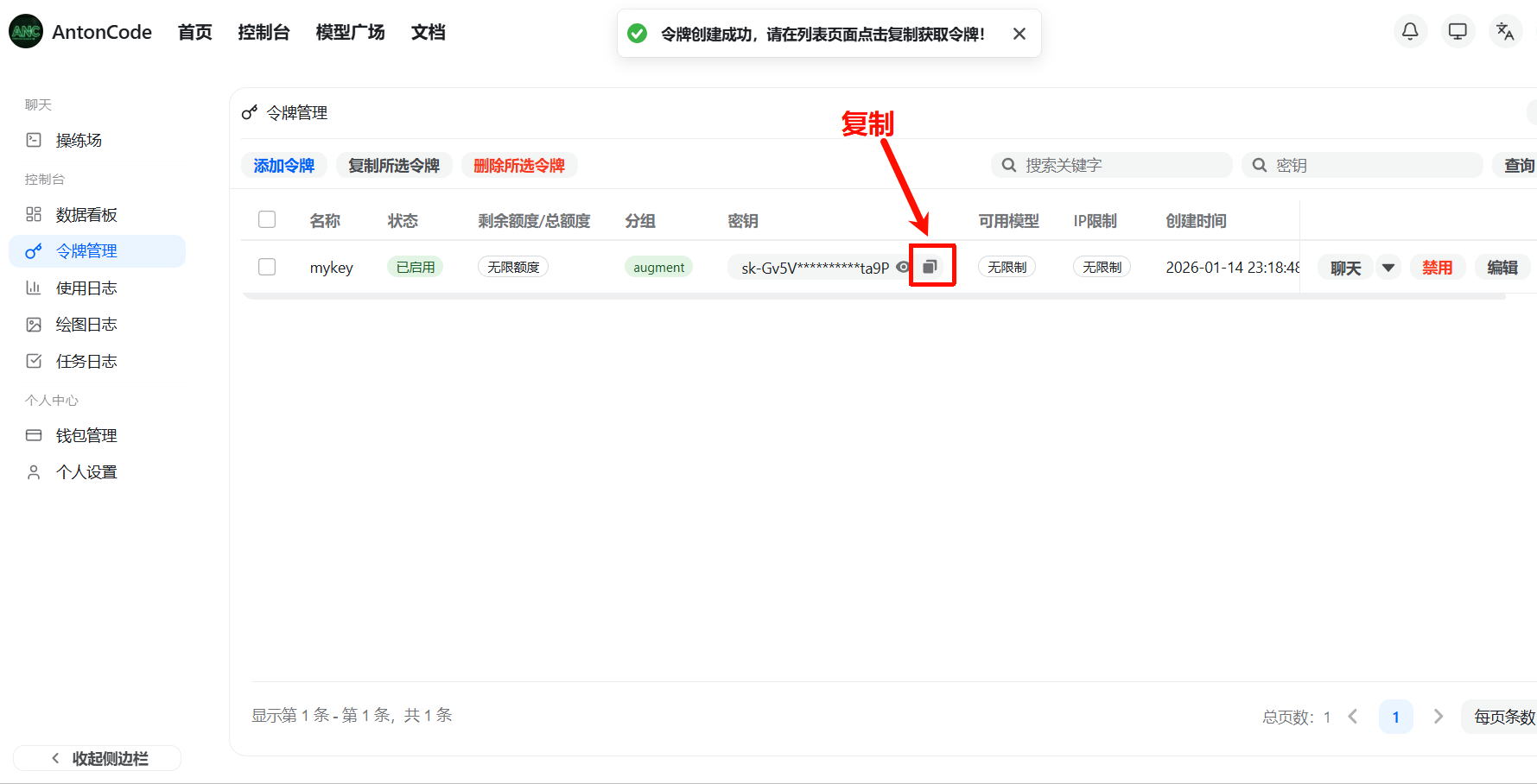
After successful creation, copy the token key.
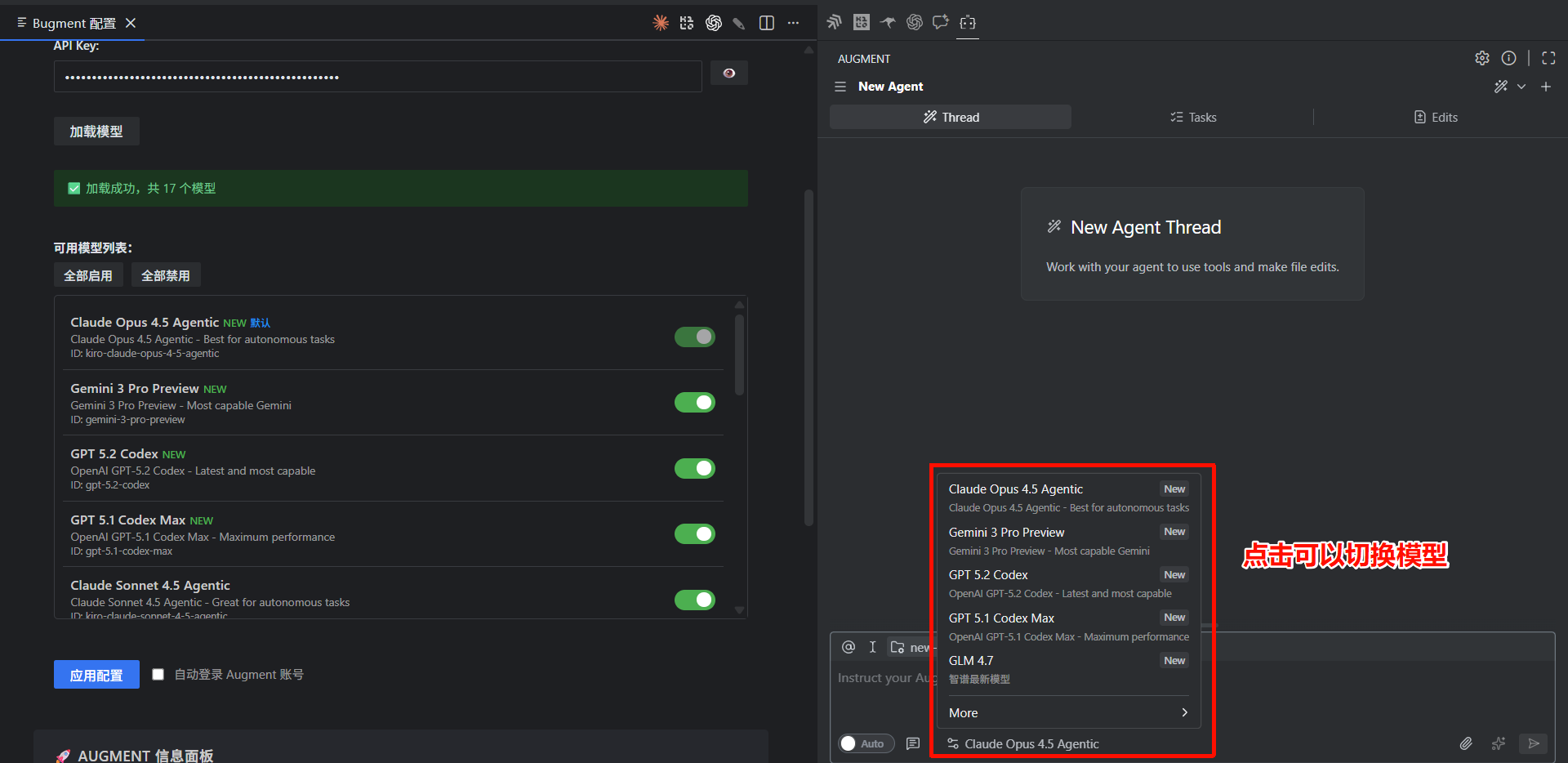
Step 5: Select Model
All options in the model list are supported, choose any one.
Recommended models:
claude-opus-4-5-agentclaude-sonnet-4-5-agent
1.5 Start Using
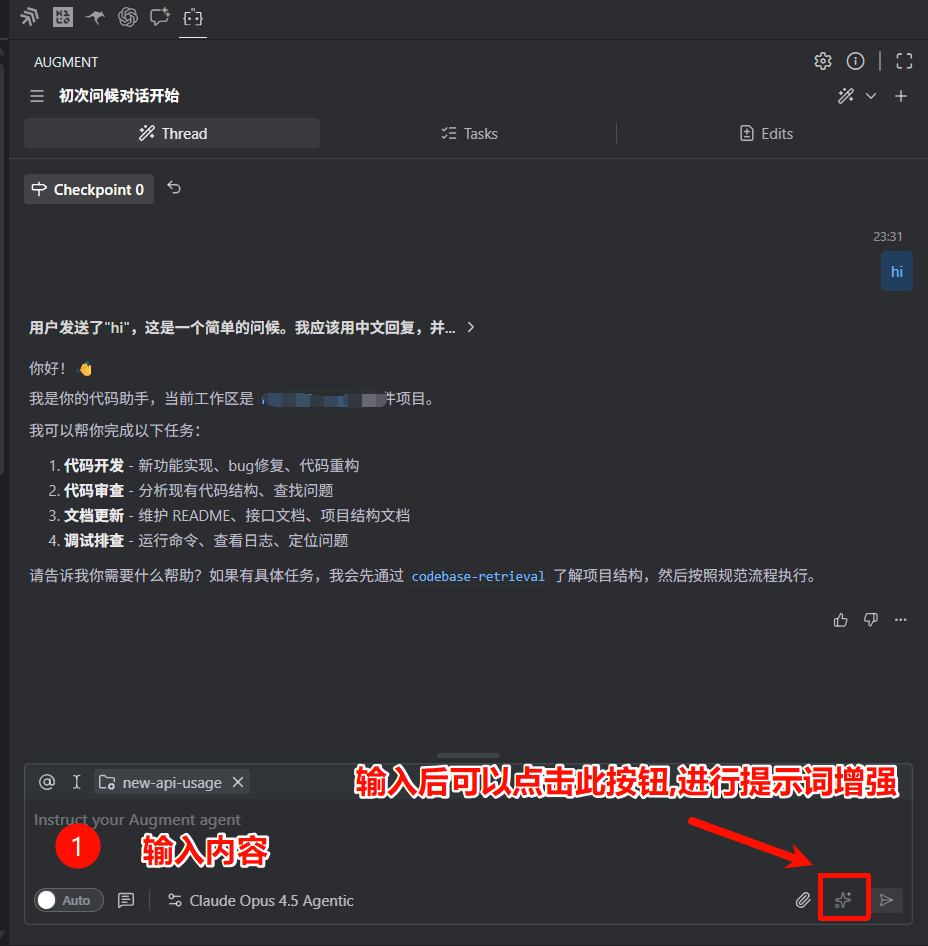
After configuration is complete, enter your questions in the Augment panel to start using.
2. FAQ
1. Augment cannot load index, reading files is slow
Solution:
- Check if your network connection is normal
- Try restarting VSCode
- Check the number of project files, large projects may take longer to index
- Exclude directories that don't need indexing in settings (such as
node_modules,.git, etc.)
2. Augment exits automatically after asking a question
Solution:
- Check if your Augment account has been banned
- Try using a different account